After several years of traveling, I realized one thing — the biggest problem isn't internet speed, but its reliability. I work remotely, I use GitHub, AI tools, video calls and the cloud, and at the same time I want online cameras, a router, and Wi-Fi for the whole crew in the vehicle. For a long time I got by with a portable 5G router from Zyxel. It worked well, but over time problems started appearing, and after several years its battery also failed — it swelled up, which is unfortunately a well-known issue with Li-Ion batteries.
That was exactly the moment I decided to build the whole solution completely differently.
The original solution — a portable 5G router
I used the portable Zyxel NR2301 router. It's a quality device — 5G support, Wi-Fi 6, an internal battery, theoretical speeds up to 3.4 Gb/s, and the option to connect external antennas via TS-9 connectors.
But a portable router has one fundamental disadvantage: it's designed as a mobile hotspot, not as a device that will be permanently switched on 365 days a year in a motorhome. After several years of continuous operation, the battery swelled up and it was clear it was time for a change.
Why I ultimately chose the Teltonika RUTX50
The Teltonika RUTX50 is no longer an ordinary home router. It's an industrial device designed for motorhomes, buses, trains, industrial applications, and continuous 24/7 operation. Its main advantages include:
- Dual SIM with automatic failover
- Robust metal construction
- Power supply directly from the 12V system
- VPN and remote management
- Five gigabit ethernet ports
- Very stable RutOS operating system
Why I didn't buy the newer model with Wi-Fi 6
At first glance it sounds tempting — the newer model offers Wi-Fi 6. But in a motorhome, the reality is completely different. The interior is only a few meters across, and in everyday use (laptop, phones, TV, cameras) you practically can't tell the difference between a quality Wi-Fi 5 and Wi-Fi 6.
The bottleneck simply isn't Wi-Fi. The bottleneck is always the mobile network or the satellite. That's why I gave preference to the proven RUTX50 and instead invested the price difference elsewhere.
The biggest change? Starlink Mini
This device changed traveling for me. I used to worry about where the best LTE was, where there was 5G, whether there was any signal at all, and whether the carrier was even working. Today I put the Starlink on the roof of the vehicle and within a few minutes I'm online.
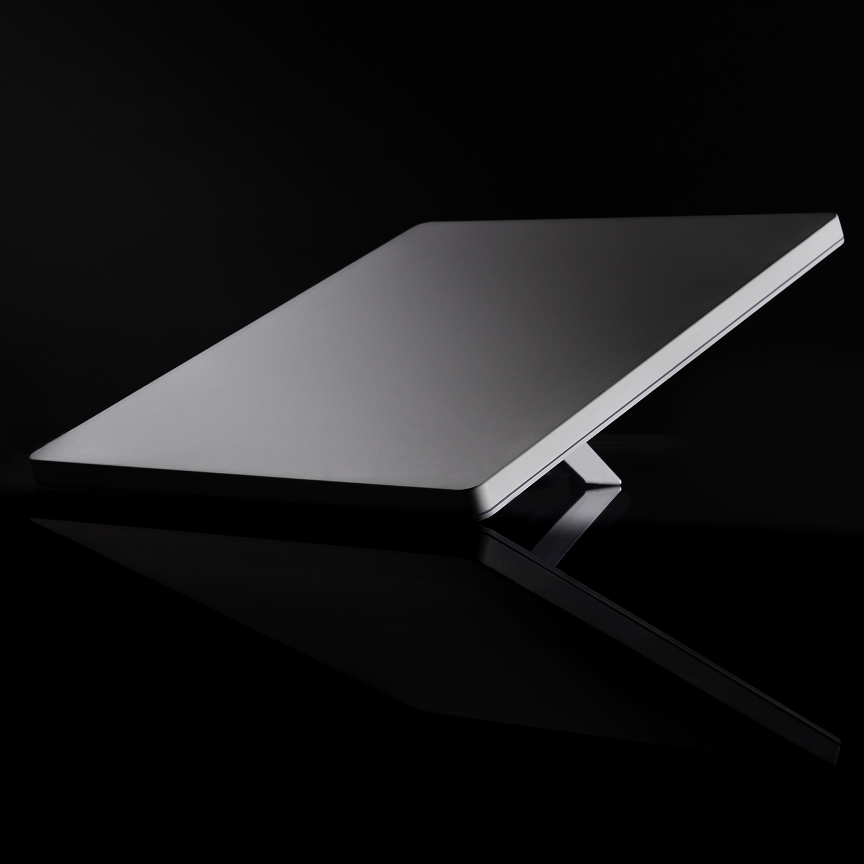
Starlink Mini offers very low power consumption, compact dimensions, an integrated Wi-Fi router, and DC power supply. Speeds commonly run over 100 Mb/s, and in good conditions even over 300 Mb/s.
Starlink plans in the Czech Republic
Starlink essentially offers two categories of plans in the Czech Republic. The Residential plan is cheaper, but it's tied to a single fixed address — for a motorhome that moves between campsites and parking lots, that's formally not the right product. For travel, the Roam plan is intended, which works without being tied to a location.
Current prices in the Czech Republic (as of 2026) roughly look like this:
- Residential 100 Mb/s — approx. 699 Kč/month, unlimited data
- Residential 200 Mb/s — approx. 949 Kč/month, unlimited data
- Roam 50 GB — approx. 1,250 Kč/month
- Roam unlimited data — approx. 1,850 Kč/month
Starlink's prices and hardware rental terms move around quite a bit over time, so before ordering I'd recommend checking the current offer directly at starlink.com/cz — this is just the approximate state at the time of writing this article.
Croatia finally convinced me
This was the situation where I understood that satellite internet is a completely different league. On the coast and on the islands, LTE is often overloaded, 5G is weak, the signal fluctuates, and calls drop. But over Starlink Mini, the internet worked reliably.
And what surprised me the most? I turned on Wi-Fi Calling on my iPhone and made phone calls exactly as if I were sitting at home in the Czech Republic — no dropouts, no noise, no hunting for signal.
And this isn't an advantage only in Croatia. It works just as well in the mountains, by glaciers, in Scandinavia, in the wilderness, and at remote parking spots — practically anywhere Starlink has a view of the sky.
A smart connection backup
But the best part is yet to come. I built the entire solution as a chain with three levels of backup:
↓
Teltonika RUTX50 (central router, failover)
↓
SIM 1 — T-Mobile → SIM 2 — Vodafone
The router constantly monitors the connection. If I disconnect the Starlink, turn off its power, or the satellite doesn't have a view of the sky, the router automatically switches to SIM 1 — T-Mobile. If that doesn't work either, it automatically switches to SIM 2 — Vodafone. All of this within a few seconds, without any manual intervention.
The reason for two SIM cards is simple — every carrier has better coverage somewhere else. Sometimes T-Mobile wins, sometimes Vodafone. Two SIMs mean a significantly higher likelihood that the internet will work even in a spot where one network alone wouldn't be enough.
Advantages of the whole solution
- Internet works almost anywhere
- Automatic switching without user intervention
- No swelling battery
- Industrial router designed for continuous operation
- Ideal for remote work and online cameras
- VPN and remote management
- Stable Wi-Fi throughout the entire motorhome
Powering it from a 12V socket — and why not to skimp on the charger
Starlink Mini comes in the box with an ordinary 230V mains charger. In a motorhome, though, that means needlessly loading the inverter just for one device. The solution is to power the Starlink directly from the 12V onboard system — via a USB-C cable with an adapter for the Starlink connector and a quality USB-C PD charger plugged into the 12V socket.
According to Starlink's own specification, this power supply requires a charger with a USB-C PD output of at least 100 W (20V/5A). An ordinary phone charger at 18–30 W isn't enough for this — and I found that out the hard way myself. First I bought a more expensive brand-name car charger that had USB-C PD, but it didn't deliver enough power — the Starlink would regularly power-cycle, switching itself off and back on, making it practically unusable. Only once I tried the UGREEN 35025 (130 W, with the second USB-C port going up to 100 W) has it run without a single dropout since.
It's not just about power, but also about safety — undersized chargers heat up under prolonged load, and with cheaper units there's a risk that the plastic housing in the 12V socket literally melts and damages the socket itself, which is then not easy to replace. In any case, even with identical specs on paper, not every charger may work equally well with the Starlink, so it's worth thoroughly testing the type you choose before a longer trip — not somewhere at a campsite without signal.
My recommendation
Based on my experience, I would buy exactly this combination again today: Starlink Mini as the primary connection, Teltonika RUTX50 as the central router, SIM 1 T-Mobile and SIM 2 Vodafone as backup. Thanks to this, I have internet practically everywhere — from the Czech mountains through the Croatian islands to remote places where mobile signal barely exists. And when I need to make a call, Wi-Fi calls over Starlink work just as comfortably as at home. For me, it's one of the best investments in this Phoenix, because it brings peace of mind — I don't have to think about whether I'll have signal, and I can focus on work and on traveling.
📦 Components used
- Starlink Mini (satellite internet, integrated Wi-Fi router, 12V power supply)
- Teltonika RUTX50 (industrial 5G router, Dual SIM, failover, RutOS)
- Zyxel NR2301 (previous portable 5G router, retired after the battery swelled up)
- UGREEN 35025 (130W car charger, USB-C PD up to 100W — powering the Starlink from the 12V socket) product